

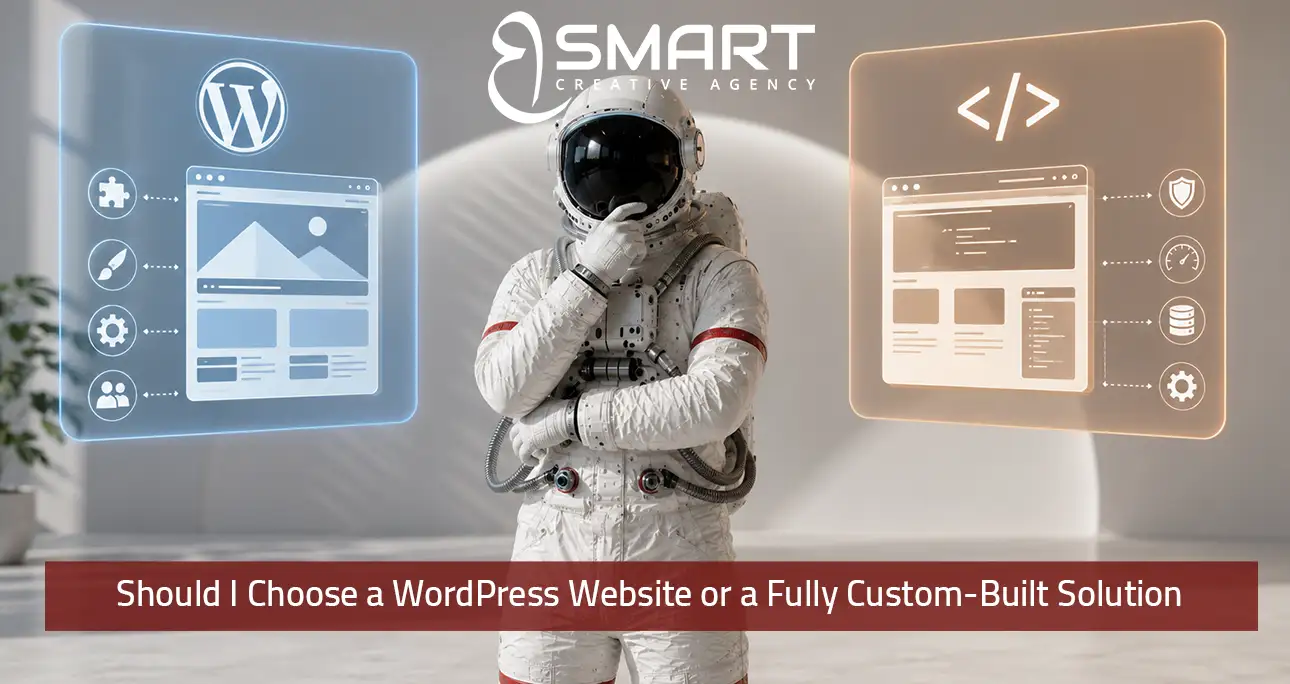
Should i build a website with a CMS, especially WordPress, or choose a custom-built website? This is one of the most common questions business owners ask themselves.
This decision is frequently framed as a quality question — “which one is better” — when the more accurate framing is a fit question: which platform matches your specific technical requirements, budget, timeline, and long-term management capacity. Both options are entirely capable of producing professional, high-performing websites; the meaningful differences lie in what each is optimized for and where each one’s limitations actually matter for your specific situation.
WordPress: A Flexible and Cost-Effective Solution
WordPress, when properly built and maintained, powers a substantial share of the websites on the internet, including many large, high-traffic, well-regarded sites, which directly contradicts the outdated perception that it’s only suitable for simple blogs or small business sites. Its core advantages are cost-effectiveness relative to custom development, an enormous ecosystem of themes and plugins that can add functionality without custom coding, and — critically for many small and mid-sized businesses — the ability for non-technical staff to update content, add pages, and manage the site day-to-day without needing to hire a developer for routine changes. This last point matters more than businesses often anticipate at the outset: a website that requires developer intervention for every content update creates ongoing costs and delays that compound over the life of the site, while a well-built WordPress site puts that control directly in the business owner’s hands.
Limitations of WordPress
The legitimate limitations of WordPress emerge at the edges of highly specific or unusual functionality requirements. If a business needs deeply custom features that don’t align with how existing plugins are built — a highly specific booking or configuration system unique to the business’s operations, complex real-time functionality, or tight, bidirectional integration with a proprietary internal system — building this within WordPress’s plugin architecture can become more complex and fragile than building it as custom functionality from the ground up, and heavily plugin-dependent sites can accumulate performance and security management overhead over time if not properly maintained.
Fully Custom-Built Websites
A fully custom-built solution — typically built with a modern framework rather than a content management system template — offers maximum flexibility for unique functionality, can be architected for optimal performance for specific high-traffic or complex use cases, and avoids the plugin-dependency management overhead that WordPress sites can accumulate. The tradeoffs are real and significant: higher upfront development cost, since functionality that would take an afternoon to add via an existing WordPress plugin may take days or weeks to build from scratch; longer development timelines, as discussed in the previous answer; and importantly, an ongoing dependency on developers for future changes, since the ease of non-technical content management that WordPress provides isn’t automatically present in a custom build unless a content management layer is specifically built in as part of the project, which adds its own cost and complexity.
How to Decide Between WordPress and a Custom Website
The decision framework that produces the best outcome starts with an honest inventory of your actual functionality requirements, separated into “standard business website needs” (informational pages, contact forms, a blog, basic e-commerce, appointment booking) — which WordPress handles very well through mature, well-tested plugins — versus “genuinely unique functionality” that doesn’t have a good existing plugin solution and would require significant custom development even within WordPress. If the overwhelming majority of your requirements fall into the first category, WordPress typically delivers a better cost-to-capability ratio, and the perception that it’s “less professional” than custom development is a misconception not borne out by actual site quality or performance when properly built and maintained.
1. Consider Your Ongoing Content Management Needs
The second consideration is post-launch management capacity: does your business have someone who will regularly update content, and do you want that person to be able to do so without developer involvement? If yes, WordPress’s content management advantages become a significant, ongoing operational benefit rather than a one-time development consideration. If your website will rarely change after launch, or if you have dedicated technical staff who will manage all updates regardless of platform, this advantage matters less.
2. Evaluate Your Performance and Scalability Requirements
The third consideration is genuine scale and performance requirements: businesses anticipating very high traffic volumes, complex real-time features, or specific performance requirements that exceed what a well-optimized WordPress installation can deliver should weigh custom development more seriously, though it’s worth noting that properly built and optimized WordPress sites handle substantial traffic volumes without issue for the vast majority of business use cases, and performance problems attributed to “WordPress limitations” are frequently actually attributable to poor implementation — excessive unoptimized plugins, inadequate hosting, unoptimized images — rather than a genuine platform ceiling.
Making the Right Choice
The right choice, in summary, follows from an honest assessment of your specific functionality needs, your team’s technical capacity for ongoing management, and your budget and timeline constraints — not from an assumption that one option is universally superior to the other.
Test Your Assumptions Before Choosing
A simple way to test your own assumption before deciding is to write down every piece of functionality you believe requires a fully custom build, then search specifically for whether a mature, well-reviewed plugin already solves that exact need within WordPress. In the majority of cases across most industries — booking systems, membership areas, e-commerce catalogs, multilingual content, subscription billing — a well-established plugin already exists and has been refined across thousands of implementations, meaning the “unique functionality” a business assumes requires custom development is very often not actually unique at all. Reserving the custom-build decision specifically for the genuinely rare cases where no such solution exists, rather than defaulting to custom development out of an assumption that it’s inherently more capable or more professional, consistently produces a better cost-to-capability outcome.
Think About Long-Term Maintenance
It’s also worth addressing a subtler, longer-term consideration that often gets overlooked at the initial build decision: who will actually maintain the site over the coming years, and what happens if that person or agency is no longer available. WordPress’s broad adoption means finding a new developer or agency to take over maintenance, make updates, or fix an issue is typically straightforward, since the platform and its conventions are widely understood across a large pool of available talent. A fully custom-built solution, particularly one built with less common technical choices or minimal documentation, can create a genuine dependency on the specific developer or agency who built it, making a future transition more difficult and costly if that relationship ever needs to change. This long-term maintainability consideration deserves real weight in the decision, not just the upfront build cost and initial capability comparison.
Discover More Answers
website redesign strategy :Can I Redesign My Website Without Losing My Google Rankings?


